
A 404 error simply means:
“The page you’re looking for doesn’t exist anymore.”
It doesn’t mean your website is broken.
It doesn’t mean something is “wrong” with your business.
It just means a link points somewhere that no longer exists.
This can happen for very normal reasons:
- You deleted or renamed a page
- You redesigned your site
- You changed platforms
- Someone bookmarked an old link
- Another site linked to an outdated page
The issue isn’t that 404s happen.
The issue is what your site does when they do.
Why 404 pages matter more than most people think
From a visitor’s perspective, a 404 page is a moment of uncertainty.
They’re asking themselves:
- “Did I do something wrong?”
- “Is this site outdated?”
- “Should I trust this business?”
If your 404 page is confusing, blank, or dismissive, many people will simply leave—especially first-time visitors.
That’s why 404 pages are less about errors and more about recovery.
How to spot 404 problems without getting technical
You don’t need special tools to notice when 404s are a problem.
Some common signs:
- People mention “broken links” when they email you
- Blog posts you shared in the past no longer work
- You redesigned your site and traffic dipped afterward
- You’ve migrated platforms and never reviewed old links
If any of those sound familiar, it’s worth doing a basic cleanup.
At a minimum, check:
- old blog links
- links in your navigation
- links from high-traffic pages
You’re not looking for perfection—just obvious gaps.
How to fix common 404 issues (the simple version)
You don’t need to fix every missing page. You need to fix the important ones.
If a page was moved or renamed
Send visitors to the new version of that page.
This keeps people oriented and avoids frustration.
If a page was removed on purpose
It’s okay to let it stay gone—as long as your 404 page helps people recover.
Redirecting everything to the homepage often makes things worse, not better.
If your own site links are broken
Those should always be fixed at the source.
Broken internal links make a site feel sloppy, even if the content is good.
What makes a good 404 page design
A good 404 page does three things well:
- It explains what happened
- It reassures the visitor
- It shows them where to go next
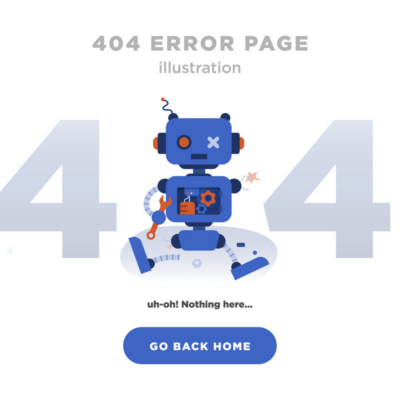
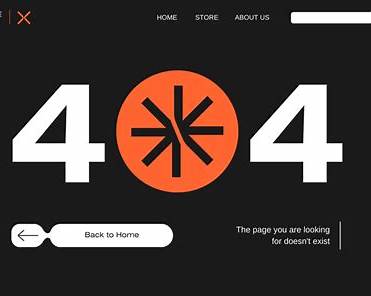
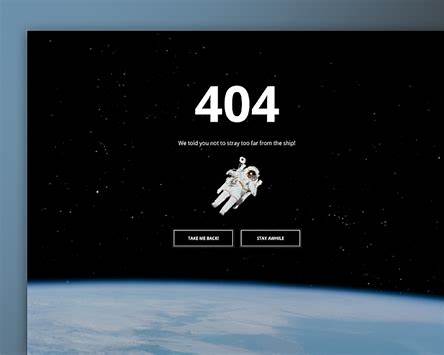
Elements that actually help
You don’t need anything fancy. Just clarity.
Most effective 404 pages include:
- A clear message (“This page no longer exists”)
- A link back to the homepage
- Links to a few key pages (services, blog, contact)
If your site has search, that can help too—as long as it works well.
What to avoid
- Inside jokes
- Overly cute illustrations without direction
- Technical error codes with no explanation
The goal is not to be clever.
The goal is to help someone move forward.
404 pages are often a bigger signal
Here’s the part many people miss:
Repeated 404 errors often point to a deeper issue—not just missing pages.
They can signal:
- unclear site structure
- outdated content strategy
- rushed redesigns
- lack of ongoing website maintenance
In other words, the 404 page is rarely the real problem.
It’s usually the symptom.
That’s why fixing 404s often improves more than just one page—it improves how your site feels overall.
The quiet difference between “fine” and professional
A professional site:
- doesn’t surprise visitors with broken paths
- handles mistakes calmly
- makes it easy to recover when something goes wrong
Most people won’t consciously notice a good 404 page.
They’ll just feel that your site is solid and trustworthy.
And that’s exactly the point.
Want a clearer way to evaluate your own site?
I regularly share practical breakdowns of real websites—what’s working, what’s quietly hurting trust, and what I’d fix first—inside my email notes.
If you want those, you can join here:
https://add.wisewebops.com
No pressure. No tactics. Just useful perspective you can apply immediately.