
Websites change. Pages get renamed. Content gets removed. Platforms get upgraded.
A 301 redirect is how you handle those changes without confusing visitors or breaking trust.
Unfortunately, redirects are often treated as an afterthought, or worse, applied incorrectly “just to be safe.” This usually creates more problems than it solves.
This post explains:
- what a 301 redirect actually is
- when you should (and shouldn’t) use one
- and how to think about redirects in a way that supports your site long term
No developer background required.
What a 301 redirect is (in simple terms)
A 301 redirect is a permanent forwarding rule.
It tells browsers and search engines:
“This page has moved, and here’s where it lives now.”
When someone visits the old URL, they’re automatically sent to the new one without needing to do anything.
From the visitor’s perspective, it feels seamless.
From the site’s perspective, it preserves continuity.
Why 301 redirects matter more than they seem
Redirects aren’t just technical housekeeping. They affect how people experience your site.
Without proper redirects:
- visitors hit dead ends
- bookmarks stop working
- shared links break
- search engines lose context
With thoughtful redirects:
- users stay oriented
- older content still pulls its weight
- site changes feel intentional, not sloppy
Redirects are part of how a site earns and keeps trust.
When you should use a 301 redirect
You generally want a 301 redirect anytime a page has moved permanently and there’s a clear replacement.
Common examples include:
- renaming or restructuring URLs
- merging two pages into one
- deleting outdated content with a newer equivalent
- redesigning or migrating a website
If the intent of the page still exists, a redirect usually makes sense.
When you should not use a 301 redirect
This is where many sites go wrong.
A 301 redirect is not a bandage for every missing page.
Avoid redirects when:
- there is no relevant replacement
- the content was intentionally retired
- the redirect would be misleading
Redirecting every removed page to the homepage, for example, often creates confusion instead of clarity.
Sometimes, letting a page be gone is the cleaner choice.
A helpful way to think about redirects
Before creating a redirect, ask one simple question:
“Where would I reasonably expect this person to want to go next?”
If there’s no good answer, a redirect probably isn’t appropriate.
Redirects should feel helpful, not defensive.
Common redirect mistakes to avoid
Redirecting everything to one page
This usually happens out of convenience, not strategy. It frustrates users and sends mixed signals.
Creating long redirect chains
A redirect that points to another redirect (and another) creates friction behind the scenes and slows things down.
Forgetting to update internal links
Redirects shouldn’t compensate for broken internal links. Your site should point directly to the correct pages.
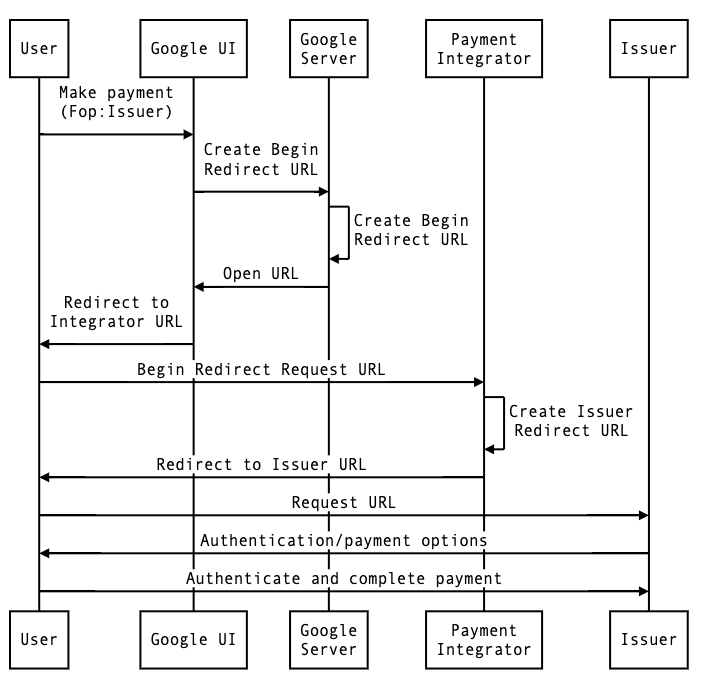
Visual: how 301 redirects work


How this shows up during website changes
Redirects become especially important during:
- redesigns
- platform migrations
- major content cleanups
Tools like Webflow make it easier to manage redirects—but they don’t decide which redirects should exist. That’s still a human judgment call.
The biggest issues usually come from:
- not planning redirects before launch
- guessing instead of reviewing old URLs
- treating redirects as “SEO tasks” instead of user experience decisions
Redirects are part of site architecture
Here’s the bigger picture most people miss:
Redirects aren’t isolated fixes. They’re part of how your site evolves over time.
A well-maintained site:
- uses redirects intentionally
- revisits them periodically
- removes ones that no longer serve a purpose
This is one of the quiet differences between sites that feel solid and sites that feel brittle.
The takeaway
301 redirects are about continuity.
They help people follow your thinking as your site changes.
They protect users from confusion.
They make growth feel deliberate instead of messy.
Handled well, they’re invisible.
Handled poorly, they quietly erode trust.
Want help evaluating your redirects?
I regularly share behind-the-scenes breakdowns of real websites—what changed, what broke, and what made the biggest difference—inside my email notes and sprint demos.
If that would be useful, you can join here:
https://add.wisewebops.com
No pressure. Just practical clarity.